
This is an old revision of the document!
Table of Contents
Address Book Export & Import
Please note that direct access to eCampusmail will be completely disabled as of 01.06.2026. After that date, university emails can only be accessed via the Outlook Web App.
To export your contacts from the old eCampusmail and add them to your smartphone's contacts, just follow these instructions.
You can easily download your contacts from the old eCampusmail web interface. To do this, log in and click the “Contacts” tab on the right-hand side. From there, click the “Export” button to download the VCF file containing your contacts.

The vcf file is usually saved in the Downloads folder. Depending on your settings, the file may be named “Kontakte.vcf” or “contacts.vcf.”

Von hier musst du die vcf-Datei auf dein Smartphone bekommen. Du kannst sie dir z.B. per Mail oder Messenger schicken.
Android
Wenn die vcf-Datei dann auf deinem Android-Handy z.B. in der 'Eigene-Dateien'-App ist, dann musst du die Datei nur Doppelklicken und im nächsten Schritt auf 'Importieren' klicken.

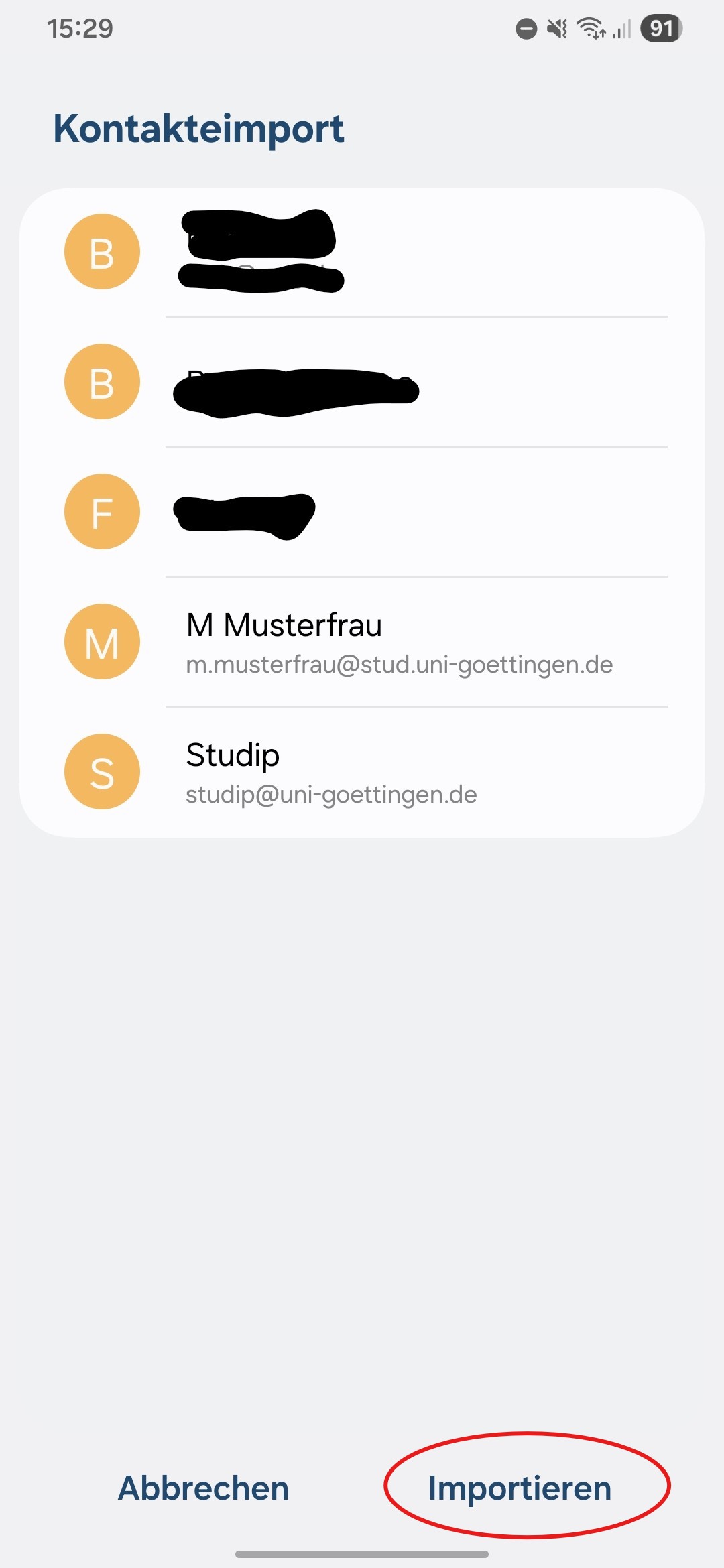
Danach findest du die Kontakte in deinem Adressbuch.
iPhone
Wenn die vcf-Datein z.B. in dem 'Donwload'-Ordner der 'Dateien'-App ist, dann musst du die Datei lange gedrückt halten, bis ein Overlay erscheint. In diesem Overlay klickst du auf 'Teilen'. Dann erscheint das 'Sharesheet'. Im 'Sharesheet' muss du vielleicht noch zur Seite scrollen, bis du die Kontakte-App siehtst.


Danach findest du die Kontakte in deinem Adressbuch.